
Aura’s Email Protection: Help keep your inbox safe and scam-free
Aura uses proprietary AI models to scan and protect your inbox against sophisticated phishing attacks, malicious links, and unwanted spam and marketing emails.
Available on: Gmail, Outlook, iCloud, AOL, and Yahoo.

Add to a new 14-day free trial or an existing plan by calling 833-412-8725.
.webp)
.svg)
.svg)

How does Aura’s Email Protection work?
Connect your inbox
Securely link your Gmail, Outlook, iCloud, AOL, or Yahoo email accounts to allow Aura to scan your inbox for threats.
.png)
.webp)
Aura scans emails in real time
Aura uses artificial intelligence (AI) to check both the sender’s reputation and the message’s content for suspicious activity.
Suspicious emails are flagged
Flagged emails are clearly labeled and moved to a separate folder where you can choose to mark them as safe or mute the sender completely.
Aura keeps your inbox secure
Aura continues to scan incoming messages and offers email aliases to protect you from scammers and data breaches.
.png)
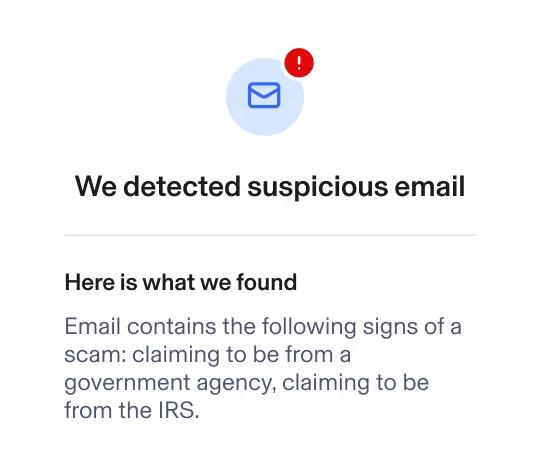
Why do you need Email Protection?
While most email providers block basic spam messages, scammers now use AI to send legitimate-looking phishing emails that slip past standard email filters.

.webp)
$502 million lost to email scams in 2024 alone
How Aura helps
We use industry-leading scam lists to block scammers before they get into your inbox.

.webp)
63% of Americans receive scam emails at least weekly
How Aura helps
We help prevent potential scam emails from landing in your inbox, and let you mute marketing emails entirely.

.webp)
~1 in 9 scam emails slip past standard email security
How Aura helps
Aura provides detailed reports explaining why an email is considered suspicious.
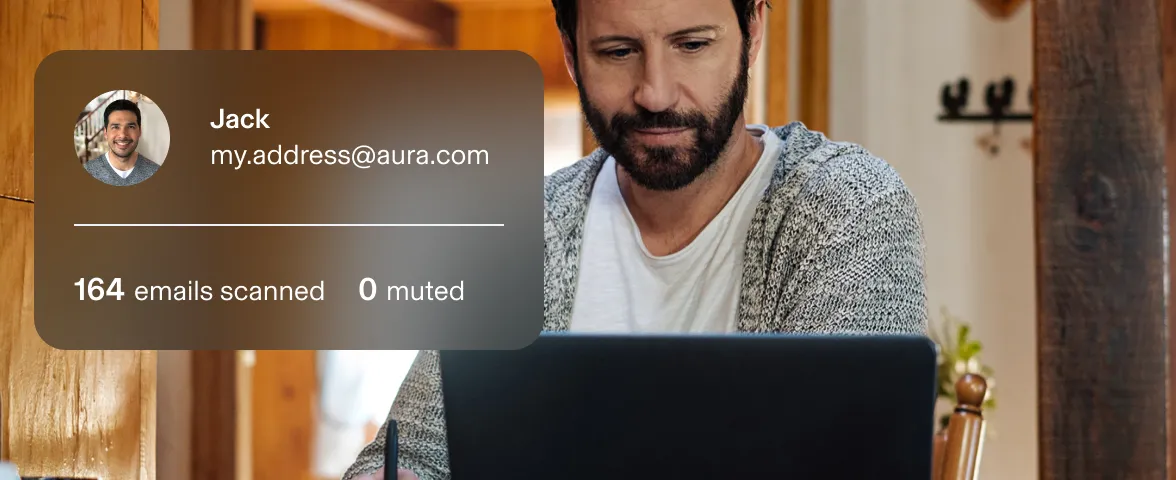
.webp)
1,265% increase in AI-led phishing attacks since 2023
How Aura helps
We use AI to scan the text of legitimate-looking messages for red flags other security tools may miss.
Sources: FTC, Pew, HP Wolf, Brightside
Aura’s all-in-one plans protect more than your inbox
Every Aura account includes award-winning protection for your data, identity, and online privacy, including:
.svg)
Identity Theft Protection
Aura's identity theft protection alerts you if your SSN and other sensitive information is leaked online or on the dark web.

Three-Bureau Credit Monitoring
Get real-time notifications of changes to your credit report as well as suspicious activity in your linked bank accounts.

Data Broker Removal
Automatically request removal of your personal information from 425+ data broker sites and Google search results to protect your privacy.
.svg)
Antivirus, VPN, and more
Protect against hacking, cyberattacks, and account takeovers with powerful cybersecurity and device protection.

Scam Call and Text Blocker
Reduce spam calls, robocalls, and scam texts with Aura’s AI-powered Call Assistant. Available on Family plans or as an add-on.
.svg)
Safe Browsing
Aura blocks malicious or phishing websites before you click, keeping your browsing secure with real-time threat detection.
Aura plans come with:


Choose your protection plan — Free for 14 days

Add Aura’s Scam Protection features to your plan
Scam Protection features can be added to any Aura free trial by visiting your Membership Center or by calling 833-412-8725.
Email Protection
- Connect unlimited emails
- Block spam and marketing emails
- Screen emails for scams and phishing using AI
- Works on Gmail, iCloud, Outlook, AOL, and Yahoo
- Screen unknown callers using AI
- Block spam, scams, and robocalls
- Works across iOS and Android devices
Included on the Family plan
- Coverage against losses from cybercrime, extortion, cryptocurrency crimes, and data loss
- $50,000 annual limit ($205,000 over the life of the policy)
Trusted by experts. Committed to excellence.

.svg)

.svg)
Frequently asked questions
What is Email Protection?
Email protection scans incoming emails for signs of scams, spam, and other threats. Suspicious and dangerous emails are quarantined with warnings sent to users to prevent them from clicking on malicious links or providing sensitive information.
In 2024, the Federal Trade Commission (FTC) reported that 25% of all reported frauds originated from an email, with Americans losing over $500 million to email scams.
How does Aura’s Email Protection know if an email is dangerous?
- Email reputation scan. Aura’s spam filtering first checks the sender’s reputation to determine whether an email is likely to be safe or potentially dangerous. This can include unfamiliar or spoofed email addresses or senders impersonating known brands or contacts.
- Full text scan. Aura then performs a deeper scan of the message content to look for signs of a scam. This can include urgent or threatening language, requests for sensitive information, unexpected attachments or links, or poor grammar or unusual formatting.
What email service providers and devices does Aura’s Email Protection work on?
Aura’s Email Protection is available on Gmail, Outlook, iCloud, AOL, and Yahoo email accounts and works across web, iOS, and Android apps.
Once linked to an account, Aura will scan emails from the past 30 days or up to 10,000 emails, as well as all new incoming emails.
Who is Aura’s Email Protection for?
Aura is designed to help individuals protect their inbox from phishing attacks and other cyber threats.
Aura’s Email Protection is available for all adult members on Individual, Couple, and Family plans.
How do I add Email Protection to my current Aura plan?
Both new and current Aura members can add Email Protection to their plan by calling our team at 833-412-8725.
Alternatively, you can add Email Protection to your account by visiting your account Membership Center:
- Open the Aura app or sign in to the Aura web dashboard
- Navigate to Me
- Select Email Protection
- Click Add+
- Choose Gmail, Outlook, or Yahoo
- Sign in to your email account and select Allow to grant access (Note: Aura uses secure login flows provided by your email service)
For new members: Add Email Protection to your 14-day free trial at no extra cost. After your free trial ends, you’ll be charged your plan’s base rate plus the cost of any add-ons (such as Email Protection).
What are the biggest email threats?
- Phishing attempts. Scammers impersonate known companies, trusted authority figures, or even friends and family in an attempt to get you to click on malicious links or provide sensitive information. There are many different types of phishing attacks, such as spear phishing (highly targeted attacks) and whaling (targeting high-profile individuals, such as CEOs).
- AI-powered scam emails. Fraudsters use generative AI tools to scrape data from social media and data breaches to create highly-personalized and convincing scam messages.
- Business Email Compromise (BEC). Fraudsters target business email accounts to gain access to sensitive data, leading to data breaches, data loss, and ransomware attacks.
- Malware and malicious emails. Cybercriminals disguise malware, such as ransomware and other viruses, in links, attachments, and QR codes.
- Social engineering attacks. Many email attacks rely on psychological manipulation techniques, such as impersonation, using urgency or fear, or pretexting, to trick users into complying with their demands.
- Thread hijacking. Scammers infiltrate legitimate email threads to hide their malicious messages and links in ongoing conversations.
- Calendar invite and file sharing fraud. Threat actors send malicious links disguised as calendar invites or links to trusted services, such as SharePoint, OneDrive, or DocuSign, which bypass many email gateways.
How do Aura’s email aliases work?
Aura’s email aliases allow you to create unique email addresses that forward messages to your real inbox, without revealing your actual email address. For example, when you sign up for a newsletter or provide an online store with your email in exchange for a discount code.
Here’s how Aura’s email aliases work:
- Open the Aura browser extension when asked to enter your email address
- Select the “+” button in the password section
- Aura generates a random email address and password for you that can be saved in Aura’s password manager
- Enable message forwarding to receive emails sent to your email alias in your inbox
- Aura’s Email Protection will continue to scan all forwarded emails for red flags
Email aliases help keep your true email address private and can also reduce spam and lower the risk of data exposure.
How is email protection different from email security?
Email protection and email security tools are two separate, yet similar, approaches to protecting email communications.
Here are the main differences:
- Email protection scans incoming emails and filters out email-based threats, such as phishing attacks, dangerous links and attachments, and spam. Everyone can benefit from the safety that email protection provides.
- Email security are tools that help keep your inbox secure against hackers and other threats, such as email encryption and authentication tools.